How it works
One capture, several useful destinations.
The product has one job: make documentation easier for people and agents to trust.
- 01
Capture
Give DocHarvest a documentation URL. It detects the platform, stays inside the documentation path, and handles client-rendered sites when you opt into rendering.
docharvest capture <url> --scope /docs - 02
Compile
The engine writes page files with source URLs and content hashes, then builds a book, an llms.txt manifest, search records, and optional exports.
pages/ book.md llms.txt search.db - 03
Use anywhere
Read the files locally, search the corpus, open a PDF, load RAG JSONL, or connect an MCP client to the same library.
docharvest mcp
Choose your workflow
The same corpus, four ways in.
Start with the surface that matches the task. The files and library remain the same.
CLI
For repeatable captures
Use flags, presets, scopes, and output modes in scripts or local development.
docharvest capture https://docs.example.com --output bothDesktop GUI
For visual control
Open Capture Studio, watch progress, browse the library, and export without a terminal.
docharvest guiMCP server
For agent-led lookup
Expose capture, search, reading, export, graph, and version tools over standard stdio.
docharvest mcpAgent Skill
For guided retrieval
Install the bundled skill so an agent can reuse local docs before starting another capture.
docharvest skill install docharvest -o .agents/skillsProduct walkthrough
See the capture before you install it.
These are real desktop surfaces from the shipped GUI. The browser showcase explains the same flow without pretending to be the application.
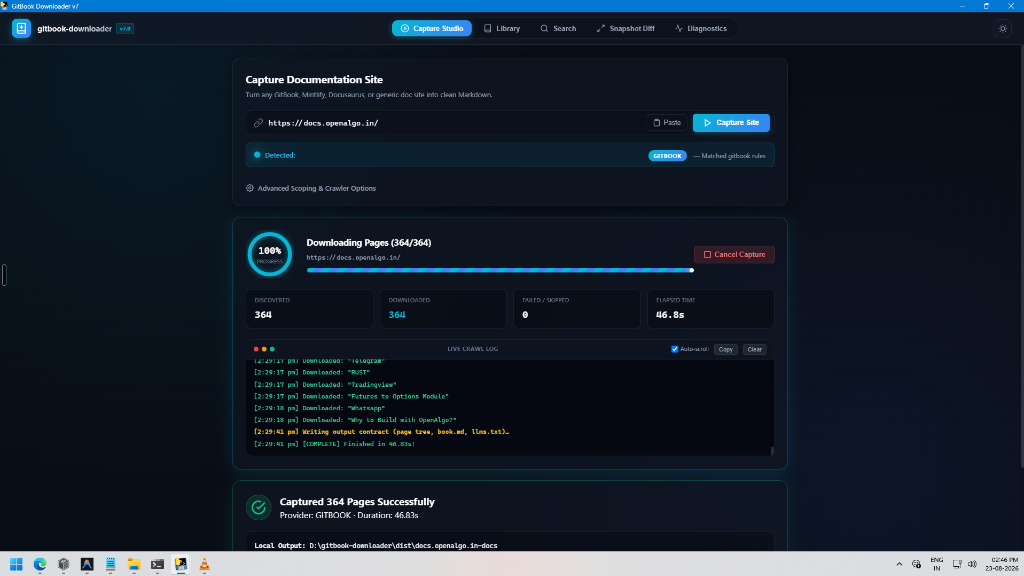
Capture
The tool tells you what it found.
Provider detection, page counts, skipped URLs, and warnings remain visible while the capture runs.
- 01
Paste a docs URL
- 02
Confirm scope and provider
- 03
Open the local corpus
Inspect and export
The library keeps the work reusable.
Search captured domains, open their folders, compare snapshots, and send the same files to a RAG pipeline or a PDF reader.
~/.docharvest/docs/<domain>/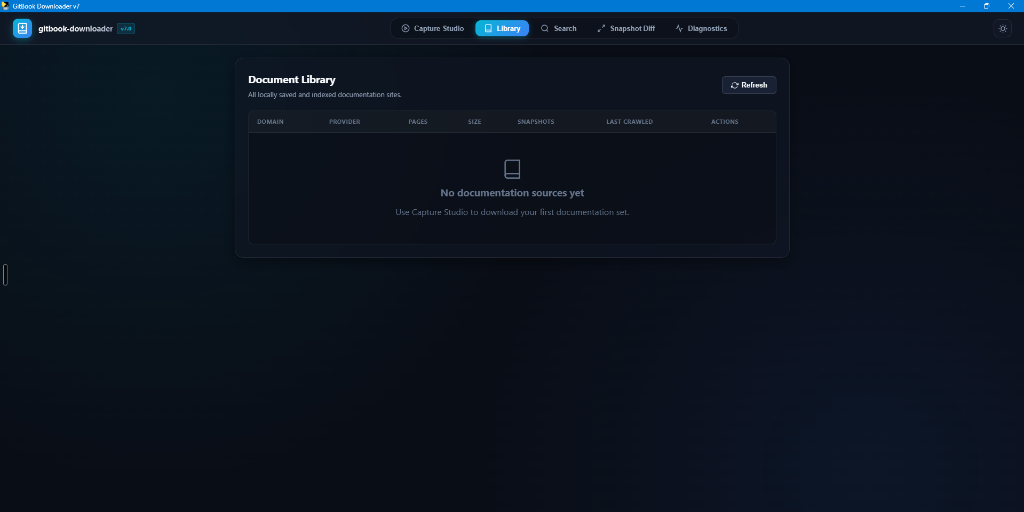
Outputs
A capture is a folder, not a black box.
Every artifact has a filename, a consumer, and enough provenance to inspect what happened.
| Artifact | Use | Evidence inside |
|---|---|---|
| pages/ | One Markdown file per captured page | source_url + content_hash frontmatter |
| book.md / docs.md | One combined handbook with a table of contents | local output / global library |
| llms.txt | A compact index for AI discovery | captured titles, paths, and source URLs |
| search.db | SQLite FTS5 BM25 search index | page and heading records |
| exports/*_rag.jsonl | Chunked records for vector stores | metadata, headings, and hashes |
| exports/*_handbook.pdf | Printable offline handbook | pure-Python fpdf2 export |
| versions/v*.md | Semver snapshots for change review | unified diff and changelog inputs |
Connectivity
One local source for people and tools.
The capture does not disappear into a hosted dashboard. It stays in the library you can inspect, copy, index, or expose through MCP.
12 tools · 2 resources · 2 prompts
MCP clientConnect a client over stdio
.cursor/mcp.json or claude_desktop_config.json
{
  "mcpServers": {
    "docharvest": {
      "command": "uvx",
      "args": ["docharvest", "mcp"]
    }
  }
}
Agent SkillInstall the retrieval instructions
.agents/skills, .cursor/skills, or .claude/skills
docharvest skill install docharvest -o .agents/skillsLocal consumerUse the files directly
~/.docharvest/docs/<domain>/
pages/
book.md
llms.txt
search.db
versions/
Supported platforms
Detect the platform. Keep the content.
Dedicated detectors handle the documentation systems most teams publish with. A generic provider remains available for custom portals and SPAs.
| Detector | Priority | Reference site |
|---|---|---|
| GitBook | 100 | https://docs.openalgo.in/v/v2.0/api-reference |
| Mintlify | 90 | https://docs.anthropic.com/en/docs |
| Docusaurus | 80 | https://reactnative.dev/docs/getting-started |
| Nextra | 75 | https://swr.vercel.app/docs/getting-started |
| VitePress | 72 | https://vitepress.dev/guide/what-is-vitepress |
| MkDocs | 70 | https://squidfunk.github.io/mkdocs-material/ |
| ReadMe.io | 65 | https://docs.readme.com/reference |
| ReadTheDocs | 60 | https://docs.readthedocs.io/en/stable/ |
| Generic HTML and SPA | 0 | Fallback for portals without a dedicated detector |
8 dedicated detectors plus a generic fallback. Detection is automatic.
Proof and benchmarks
Numbers with a stated context.
These values describe a reference capture and the current repository. They are not a promise about every source site.
- Reference capture
- 673 pages
- Measured reduction
- ~83%
- Agent surface
- 12 tools
- Repository verification
- 920 of 929
in 18.2 seconds, about 37 pages per second
fewer tokens than the raw HTML comparison
plus resources and prompts over stdio
8 currently failing in the root suite, 2026-10-06
Source: `uv run pytest` (2026-10-06) and the reference capture in docs/SEO_GUIDE.md §3. Test counts are regenerated by docs/scripts/sync-stats.mjs; benchmark values are reference measurements, not guarantees.
FAQ
Before you capture a site.
Short answers about access, privacy, output scope, and agent connections.
Isn't this just another web scraper? How is it different from curl, Scrapy, or BeautifulSoup?
Basic scrapers dump messy HTML soup loaded with 40KB+ of cookie banners, navigation menus, and fragmented code blocks with broken indentation. DocHarvest is an engineered documentation compiler: it automatically detects frameworks (GitBook, Mintlify, Docusaurus, Nextra), probes native .md raw endpoints directly, locks crawls strictly to doc subpaths, injects cryptographic SHA-256 YAML frontmatter, compiles unified book.md handbooks, exports pure-Python PDFs, and indexes everything into an embedded SQLite FTS5 BM25 search database.
Why choose DocHarvest over Firecrawl, Jina Reader, or cloud scraper APIs?
Cloud scraping APIs charge per-page fees ($0.01 - $0.05/page) that quickly escalate on 1,000+ page libraries, require active internet connections, send your proprietary internal docs to third-party servers, and do not provide local search libraries, PDF generation, or semver diff engines. DocHarvest is 100% free, open-source (MIT), runs locally on your machine, and has zero network telemetry.
Which AI coding agents and IDEs support DocHarvest FastMCP?
DocHarvest's FastMCP v2 server is fully standard-compliant over stdio and ships ready-made configs for 14 documented clients: Claude Code, Claude Desktop, Cursor, Windsurf, VS Code, JetBrains, Zed, Cline, Continue.dev, Kiro, OpenCode, Oh My Pi (omp.sh), Antigravity / Gemini CLI, and OpenAI Codex CLI.
Does it work with client-rendered JavaScript Single-Page Applications (SPAs)?
Yes. Modern documentation SPAs (GitBook, Mintlify, Docusaurus, Nextra, VitePress) publish underlying raw .md endpoints and sitemaps that DocHarvest probes first. For purely client-rendered SPAs (like omp.sh), DocHarvest includes an opt-in Playwright headless rendering engine (--render) to execute client-side JavaScript before compilation.
What dependencies are needed for PDF export? Do I need WeasyPrint or wkhtmltopdf?
Zero external C-dependencies! DocHarvest uses a custom layout engine built on pure-Python fpdf2. It generates styled, syntax-highlighted printable PDF handbooks with page numbers and table of contents out of the box on Windows, macOS, and Linux.